




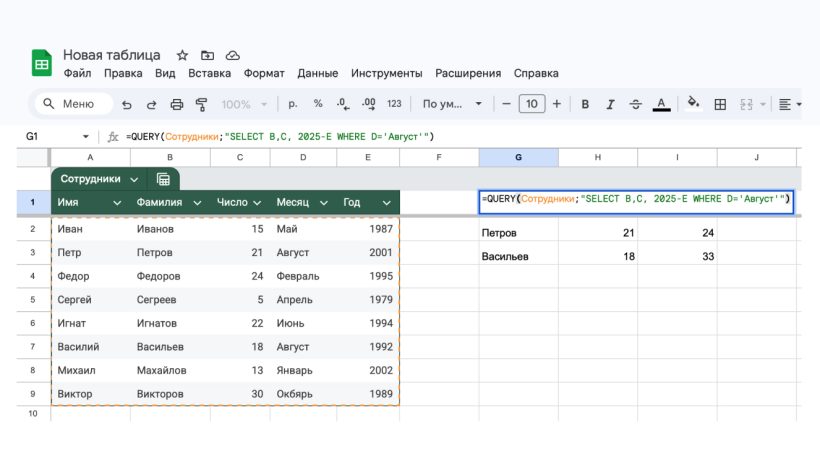
«Google Таблицы» или Google Sheets — бесплатный инструмент от Google, по своим функциям и интерфейсу напоминающий Excel. В нем можно работать с простыми и сложными формулами, проводить вычисления, сортировать и анализировать информацию, строить диаграммы и многое другое. Этим инструментом пользуются люди разных профессий — бухгалтеры, таргетологи, маркетологи, SEO-специалисты, инженеры, копирайтеры. В статье подробно расскажем, как работать с Google Sheets и какие возможности есть у этого сервиса.
Начало работы с «Таблицами»
«Таблицы» удобны тем, что в них можно работать онлайн, а все данные хранятся на серверах. Даже если выключился компьютер и вы не успели сохранить документ, данные никуда не пропадут, и после загрузки вы сможете продолжить с того места, где закончили.
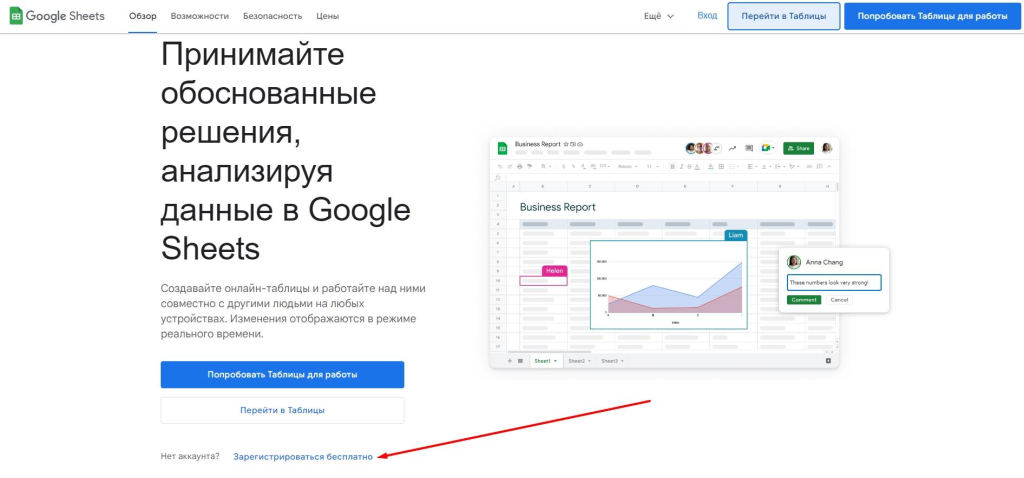
Чтобы начать работать с сервисом, перейдите на страницу Google Sheets. Если у вас еще нет аккаунта Google, нажмите «Зарегистрироваться бесплатно».
Если вы уже зарегистрированы, нажмите «Вход» или «Перейти в таблицы».
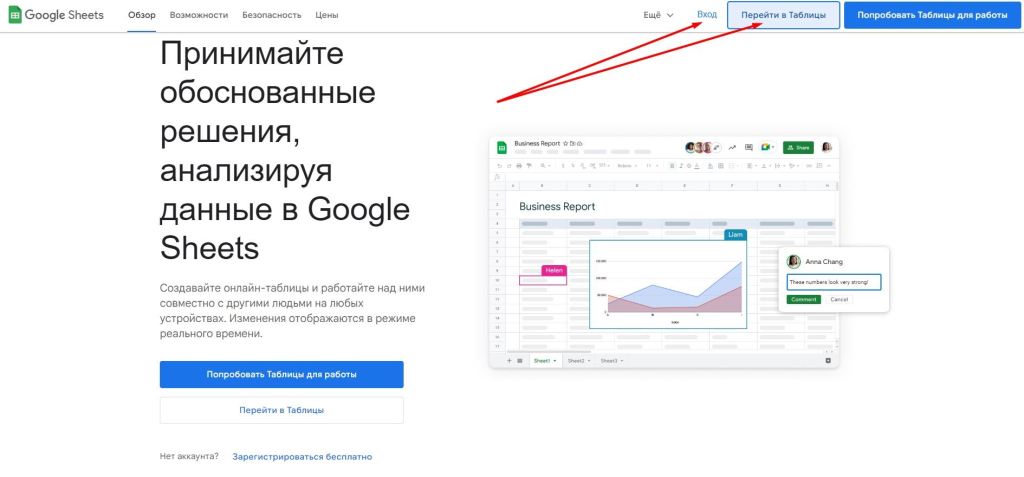
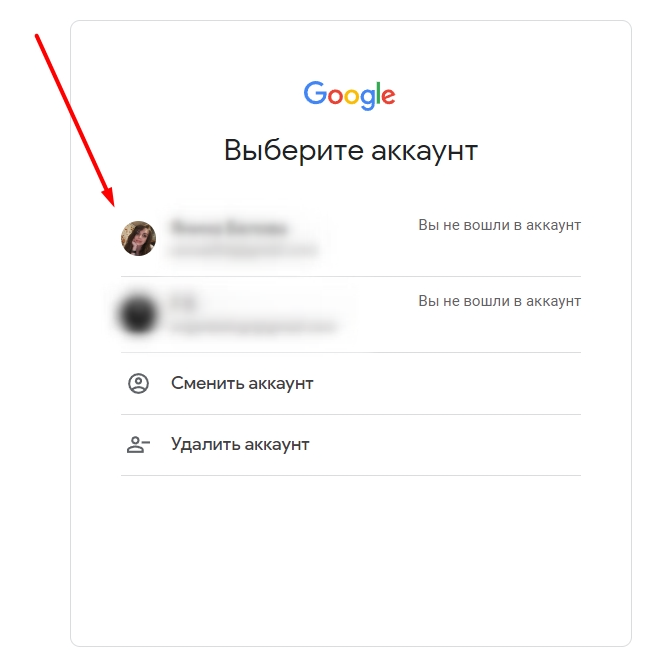
Выберите аккаунт и авторизуйтесь.
Теперь вы на главной странице своего рабочего кабинета в «Google Таблицах».
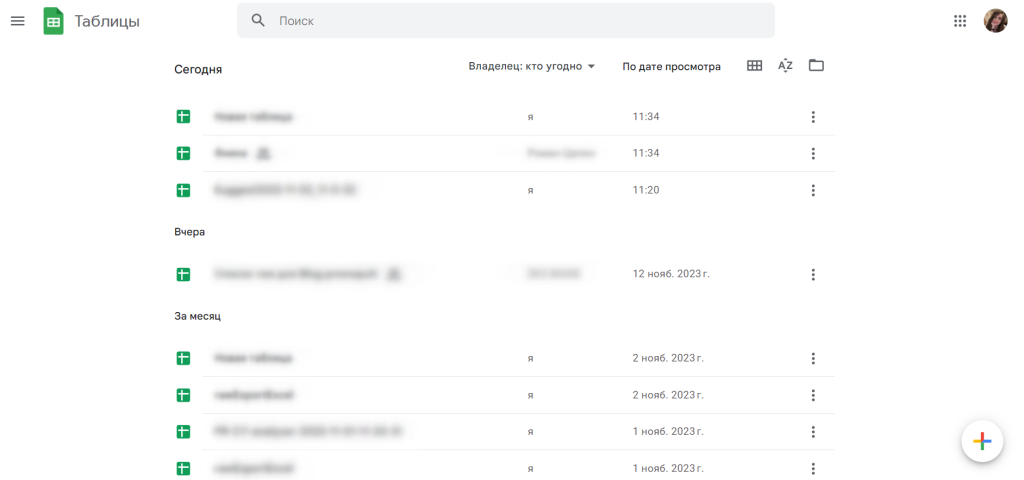
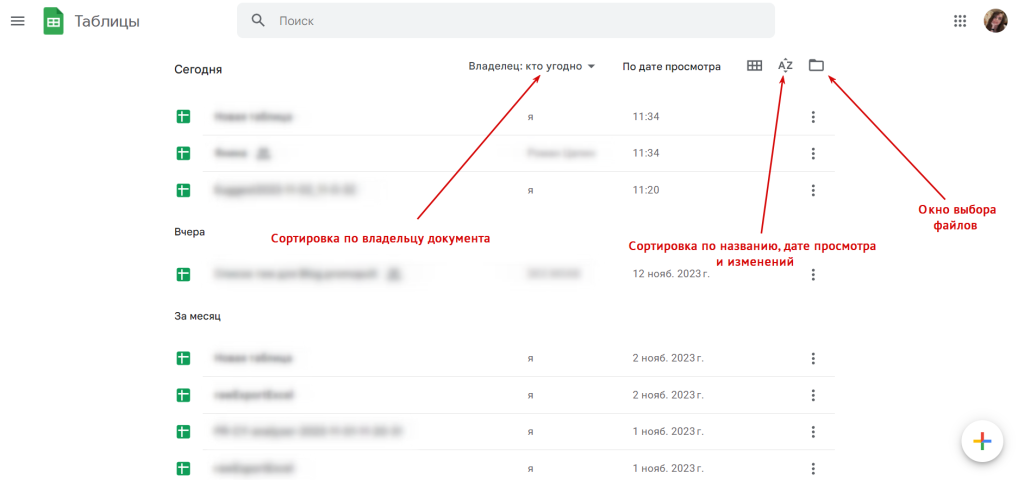
Здесь показаны все документы, к которым у вас есть доступ. Их можно отсортировать по владельцу, названию, дате просмотра и изменений. Для загрузки своих таблиц предусмотрено окно выбора файлов.
Simple Systems That Actually Work
A system doesn’t have to be complex to be powerful — in fact, the simpler it is, the more likely you are to stick with it. I wanted something lightweight and adaptable, not rigid. So I built a core set of habits and tools around what I actually do in a week, not what an ideal day looks like. From quick daily reviews to a digital “inbox” I process weekly, these systems create a sense of momentum and mental clarity without micromanagement.
How I Made It Easier:
- One Device, One Purpose: I separated work and leisure by keeping my phone for communication and my tablet for reading or focused tasks. This cut down on context switching and made it easier to enter flow states.
- Scheduled Distractions: I gave myself specific windows for browsing and entertainment, which helped prevent random doom-scrolling from stealing my energy in the middle of the day.
“Discipline doesn’t mean restriction — it means giving your attention somewhere fully.”
by Matt Goulart, business analyst
In a world that pushes for more, faster, constantly — I’ve found that fewer, slower, and more intentional feels better. I no longer try to win the day by doing everything at once. Instead, I focus on doing a few things well, and making sure those things align with how I want to feel and what I want to create.
This doesn’t mean I’m anti-tech. On the contrary — I love technology. But I’ve become much more deliberate about how and when I use it. I’ve learned that my best ideas come when I’m not glued to a screen, and that technology works best when it supports my goals, not replaces them.
Taking breaks isn’t just about rest — it’s part of the workflow now. Stepping outside, riding my bike, or even cleaning up my workspace has become essential to thinking clearly and solving problems. It’s in those in-between moments that I find the most clarity, and often, my most creative ideas.
If there’s one thing I’ve learned through all of this, it’s that clarity doesn’t come from perfect tools or rigid schedules. It comes from paying attention to how I work, what drains me, and what actually helps me feel engaged. From there, I build outward — intentionally, calmly, and with just the right amount of tech.




This was a great read — simple, honest, and well-written. Always nice to come across blogs like this.
Really appreciate that! I try to keep things real and easy to follow — thanks for reading!
I like how real and thoughtful this post was. It made me reflect a bit too. Keep it up!
That means a lot — it’s always great to hear when something I write gets someone thinking. Thanks for the kind words!
Really enjoyed reading this! It felt personal but also super easy to relate to. Looking forward to more posts like this.